
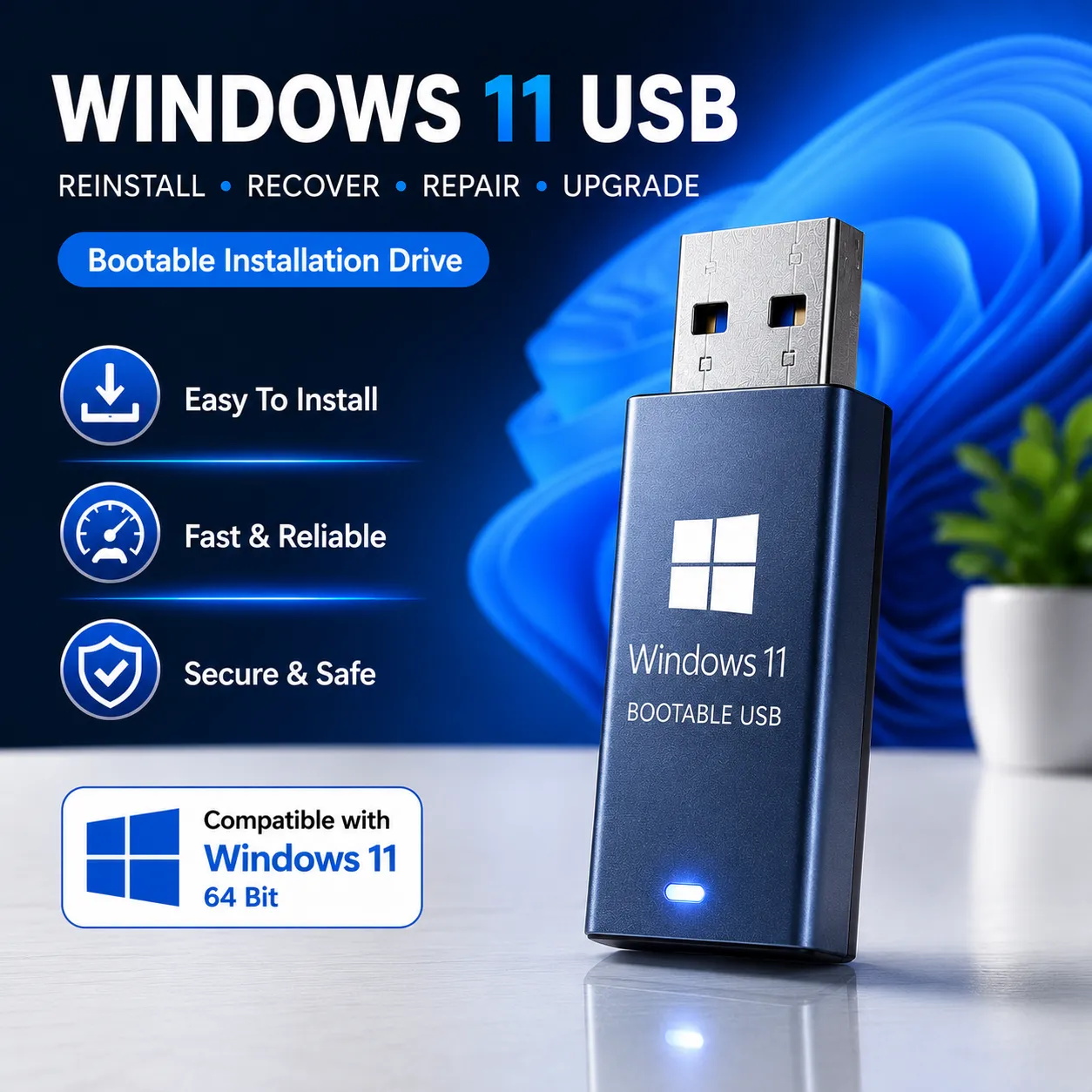
Windows 11 Home USB – Physical Delivery
Original price was: ₹16,990.00.₹5,990.00Current price is: ₹5,990.00.
Physical Delivery Product
Delivery Timeframe 10-28 Days
Windows 11 Home USB – Physical Delivery Pen Drive
Your Gateway to the Future of Computing
The Windows 11 Home USB Pen Drive Bootable is the ideal solution for anyone looking to install or upgrade to Microsoft’s latest operating system, Windows 11 Home. Designed for simplicity and convenience, this bootable USB drive ensures a smooth and hassle-free installation process, making it perfect for users of all technical skill levels.
This USB drive comes preloaded with a genuine copy of Windows 11 Home, allowing you to install the operating system offline on any compatible PC or laptop. With its cutting-edge features, modern design, and advanced security, Windows 11 Home is built to provide an exceptional user experience for both work and leisure.
Why Choose the Windows 11 Home USB Pen Drive Bootable?
-
Simple and Convenient Installation
Say goodbye to lengthy downloads or complicated installation methods. With the Windows 11 Home USB, all you need to do is plug in the drive, boot your device, and follow the easy-to-understand prompts. It’s designed for anyone to use, regardless of technical expertise. -
100% Genuine Software
The Windows 11 Home USB contains an official, unmodified version of the operating system, ensuring you get a secure and authentic installation. Enjoy peace of mind with access to regular updates, features, and security patches directly from Microsoft. -
Portable and Reusable
This USB drive is lightweight, compact, and reusable, making it a valuable tool for home users, students, and professionals. Use it for multiple installations (as per licensing terms) or keep it as a backup for future use. -
Offline Installation
No internet? No problem. The Windows 11 Home USB enables you to perform an offline installation, making it an excellent option for those with limited or unreliable internet connectivity.
Features of Windows 11 Home USB
-
Modern Operating System
Windows 11 Home introduces a refreshed design and features to make your computing experience intuitive and enjoyable. Key features include:- Redesigned Start Menu: A centered and streamlined layout for quick access to your apps and settings.
- Snap Layouts: Enhance multitasking with pre-defined window arrangements.
- Widgets: Get real-time updates on news, weather, and other essential information directly from your desktop.
- Microsoft Store: Access a growing library of apps, games, and entertainment.
-
Enhanced Security
Windows 11 Home offers improved security features, such as:- Windows Hello: Password-free login with facial recognition or fingerprint.
- Secure Boot and TPM 2.0: Advanced hardware-level security to protect your data and device.
-
Optimized for Everyday Use
Designed for home users, students, and families, Windows 11 Home ensures a seamless experience for browsing, streaming, gaming, and more. Built-in apps like Microsoft Edge and Microsoft Teams enhance communication and productivity. -
High-Speed USB Drive
The Windows 11 Home USB is preloaded on a durable, high-speed USB drive, ensuring fast data transfer and a quick installation process. This reduces wait times and gets your device up and running in no time.
How to Use the Windows 11 Home USB for Installation
-
Check Compatibility
Ensure your device meets the minimum system requirements for Windows 11 Home, including:- A compatible 64-bit processor.
- 4GB RAM or more.
- TPM 2.0 and Secure Boot enabled.
-
Boot from USB Drive
- Insert the Windows 11 Home USB into your device.
- Restart your computer and enter the boot menu (commonly F12, F2, or ESC).
- Select the USB drive as the primary boot device.
-
Follow the Installation Process
- Choose your preferences (language, region, keyboard).
- Select the partition or drive for installation.
- Follow on-screen instructions to complete the process.
-
Activate Windows 11 Home
Enter your product key during or after installation to activate the OS and unlock all its features.
Why Upgrade to Windows 11 Home?
Windows 11 Home offers a modern and efficient operating system designed for today’s digital lifestyles. Benefits include:
- User-Friendly Interface: A cleaner, more intuitive design that simplifies navigation.
- Improved Performance: Optimized for speed and efficiency, even on older hardware.
- Seamless Connectivity: Enhanced tools for staying connected with family, friends, and colleagues through Microsoft Teams.
- Better Gaming Experience: Access Xbox Game Pass, Auto HDR, and DirectStorage for improved gaming performance.
Who Should Use the Windows 11 Home USB Pen Drive Bootable?
This USB drive is ideal for:
- Home Users: Upgrade your existing system or install Windows 11 Home on a new device.
- Students and Families: Enjoy an intuitive and secure computing experience for learning and entertainment.
- DIY Enthusiasts: Build or upgrade your PC with ease using this reliable bootable USB.
- Backup Needs: Keep it handy for system repairs or reinstallation in the future.
Why Windows 11 Home USB Stands Out
The Windows 11 Home USB Pen Drive Bootable is more than just an installation tool—it’s a practical, portable, and dependable solution for upgrading to Microsoft’s latest OS. With its plug-and-play functionality and genuine software, you’re just a few steps away from experiencing the best of Windows 11 Home.
Upgrade Today with the Windows 11 Home USB
Don’t wait to unlock the full potential of your PC. Get the Windows 11 Home USB Pen Drive Bootable today and enjoy a secure, stylish, and powerful operating system built for modern needs.
| Weight | 100-200 g |
|---|---|
| Dimensions | 12 × 12 × 5 cm |
System Requirements
These are the minimum system requirements for installing Windows 11 on a PC. If your device does not meet these requirements, you may not be able to install Windows 11 on your device and might want to consider purchasing a new PC. If you are unsure whether your PC meets these requirements, you can check with your PC Original Equipment Manufacturer (OEM) or, if your device is already running Windows 10, you can use the PC Health Check app to assess compatibility. Note that this app does not check for graphics card or display, as most compatible devices will meet those requirements listed below.
| Processor | 1 gigahertz (GHz) or faster with 2 or more cores on a compatible 64-bit processor or System on a Chip (SoC). |
| RAM | 4 gigabyte (GB). |
| Storage | 64 GB or larger storage device Note: See below under “More information on storage space to keep Windows 11 up-to-date” for more details. |
| System firmware | UEFI, Secure Boot capable. Check here for information on how your PC might be able to meet this requirement. |
| TPM | Trusted Platform Module (TPM) version 2.0. Check here for instructions on how your PC might be enabled to meet this requirement. |
| Graphics card | Compatible with DirectX 12 or later with WDDM 2.0 driver. |
| Display | High definition (720p) display that is greater than 9” diagonally, 8 bits per color channel. |
Frequently Asked Questions?
Question: Can I go for online update with the setup file?
Answer: Yes, you can do after Windows Installation or Windows Personal profile setup…go with a good Internet connection for faster updates.
Question: Can I use the same Bootable USB on Multiple Machines/Systems?
Answer: Yes, you can.
Question: Can I get the setup file activation serial key with the USB package?
Answer: Not, the USB package not carry the setup file activation serial key, buyer need to buy separately. If anyone like to order license and USB Drive together, please contact our Live Chat Support to get a very good discount.
Question: Can I need to pay extra for Shipping?
Answer: Not at all, all the Shipping costs are included with the package main price.
Question: Delivery Timeframe?
Delivery Process as per Indian courier’s time frame 10-28 Working Days
Declaimer: The listed product image/picture we used for product presentation purpose only. It’s may be look like different as from your expectations. Because the products are customized as per market value.
Only logged in customers who have purchased this product may leave a review.
Related products
Reviews
There are no reviews yet.